Enter results for a race day
This article covers how to record finishing positions for the races on a single race day. The entry screen is built for speed: you can find each boat by name or sail number, work down the finish order from the keyboard, and sign a sailor on without leaving the screen.
To mark a sailor with a code such as DNF instead of a position, see Apply a scoring code. To make results visible to sailors once you have entered them, see Publish results.
Access. You need the Admin, Official, or Race Officer permission on the club running the event. (The old Scorer role is now the Race Officer permission.)
Open the Entry tab
- Open the event and select the race day you want to score.
- On the Race Day Results screen, select the Entry tab.
If the day has more than one race, a row of race tabs appears (Race 1, Race 2, and so on) with Add Race at the end. Choose the race you want to score first.
The screen has two halves: the entry panel on the left, headed Race 1 Results Entry, and the results entered so far on the right, with a column for the boat's Class, Position, Skipper, Sail Number, and Status.
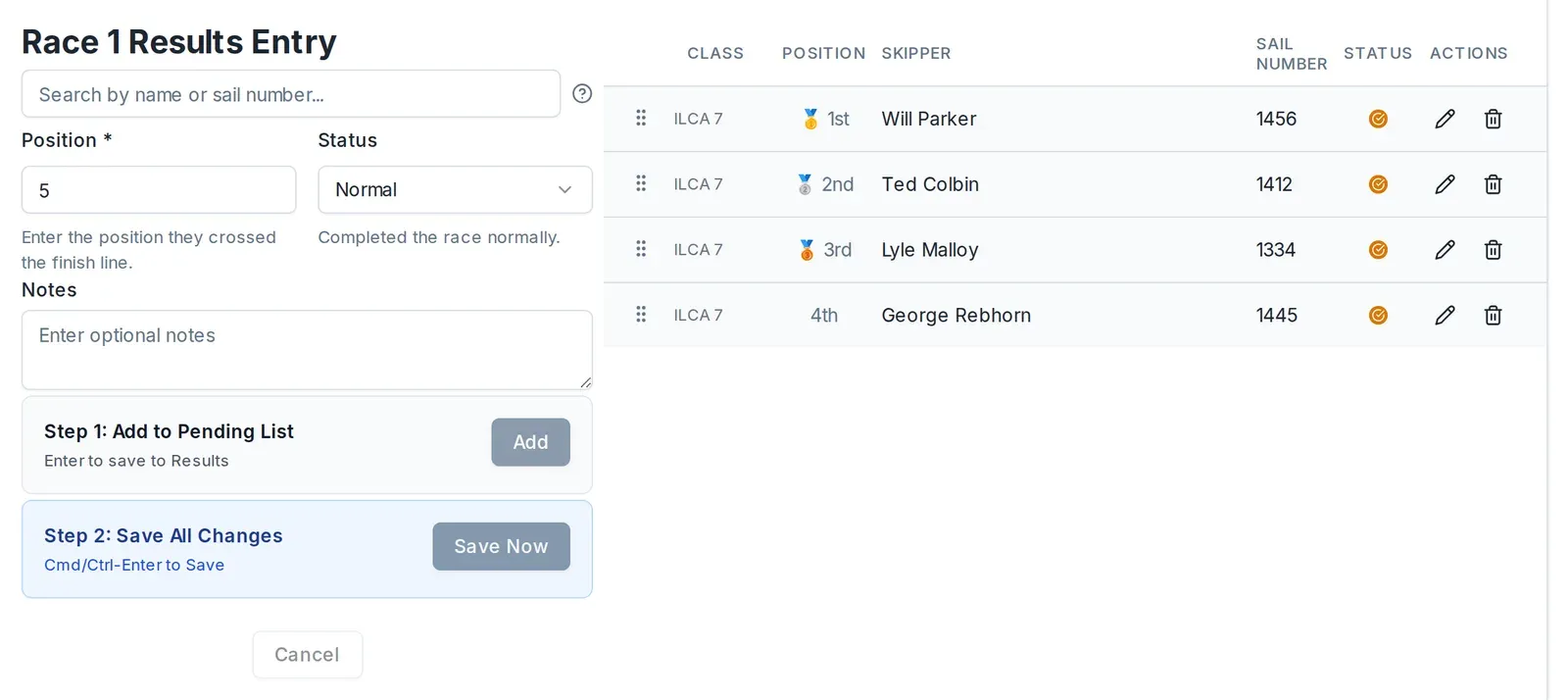
Record a finish from the keyboard
Working down the finish order, the fastest way to enter each boat is to stay on the keyboard:
-
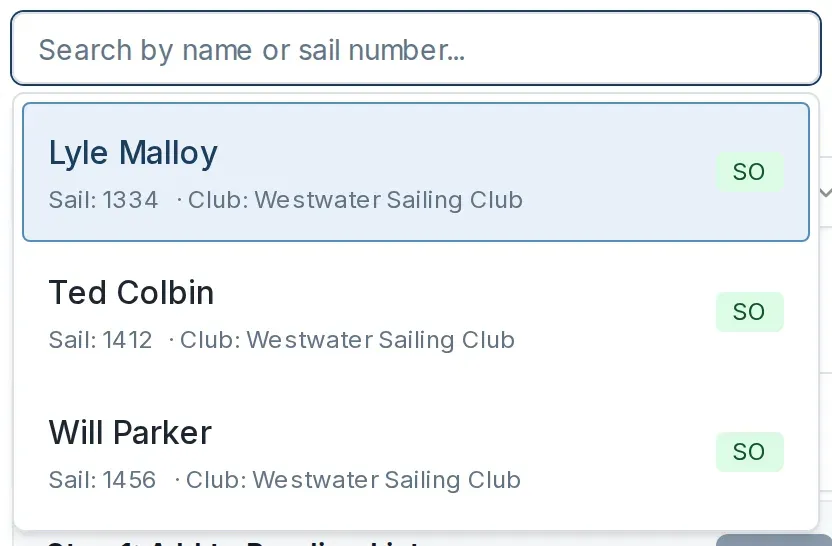
In Search by name or sail number, type a few letters of the skipper's name or two or more digits of the sail number. A list of matching boats appears.
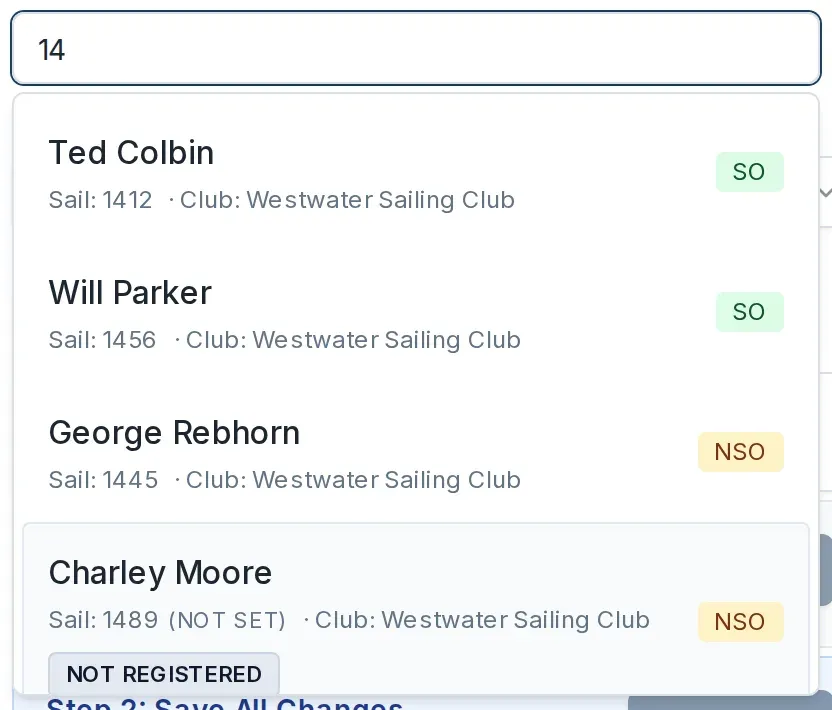
Each match shows a status badge: SO for a boat signed on to the day, NSO for one that is not, and NOT REGISTERED for a sailor with no entry for the event yet.
-
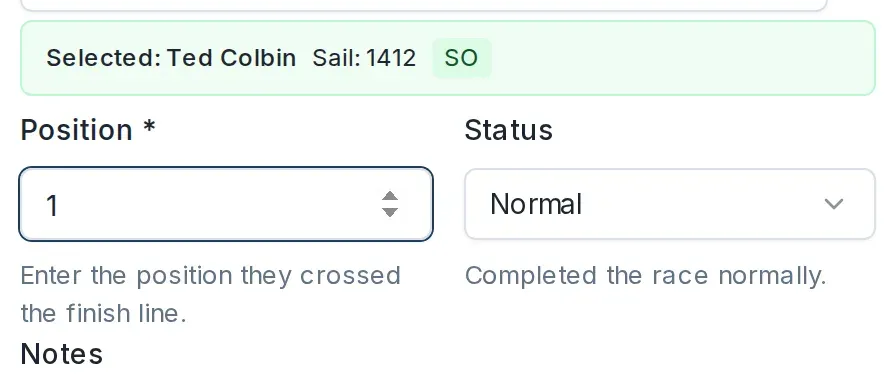
Use the up and down arrow keys to move through the list, then press Enter to choose the highlighted boat. Dockside selects the sailor and moves you straight to the Position field.
-
Position is filled in with the next finishing place automatically. Type the place the boat crossed the line to change it, or leave it as it is.
-
Leave Status on Normal for a boat that finished the race normally.
-
Press Enter to add the boat to the pending list (Step 1: Add to Pending List). The form clears and the search box is ready for the next boat.
-
Repeat for each boat.
When you have added the finishers, press Ctrl-Enter (or Cmd-Enter on a Mac) to save them all to the results (Step 2: Save All Changes). You can also select Add and Save Now with the mouse.
See the keyboard shortcuts at any time
Select the ? icon next to the search box to see the shortcuts.
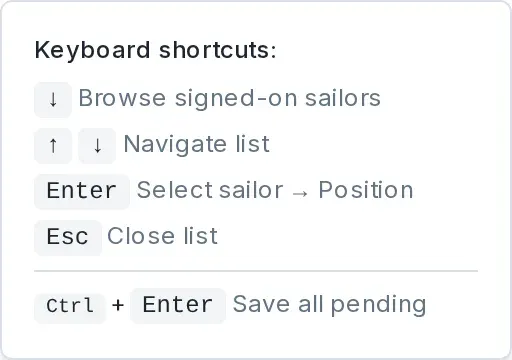
To browse rather than search, leave the search box empty and press the down arrow. Dockside lists the boats available for this race in alphabetical order, so you can step through them with the arrow keys and press Enter to pick one.
Entering series results? Sign sailors on as you go
On a series race day, a boat has to be signed on before its result counts towards sign-on. You do not have to switch to the Sign-ons tab to fix this: the entry screen handles both cases for you.
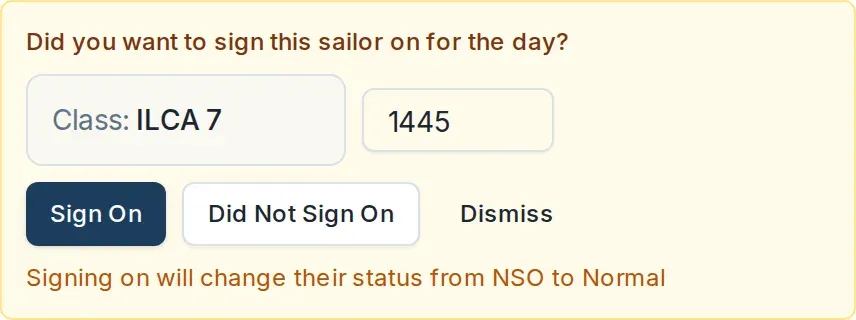
A sailor who is registered but not signed on (NSO). When you select them, a panel asks Did you want to sign this sailor on for the day? Check the class and sail number, then select Sign On. Their status changes from NSO to Normal and you carry on entering the result. Select Did Not Sign On to record the result without signing them on.
A sailor with no entry for the event (NOT REGISTERED). When you select them, a Quick Register button appears. Select it to register and sign the sailor on in one step, then continue with their result.

If you search for someone who is not in the club at all, Dockside offers Create Placeholder Sailor instead, so you can record their result now and link it to their account later.
For open meetings and regattas this step does not appear: registering for the event counts as signing on, and sailors are added on the event's Registration tab rather than here.
Fix or reorder a result
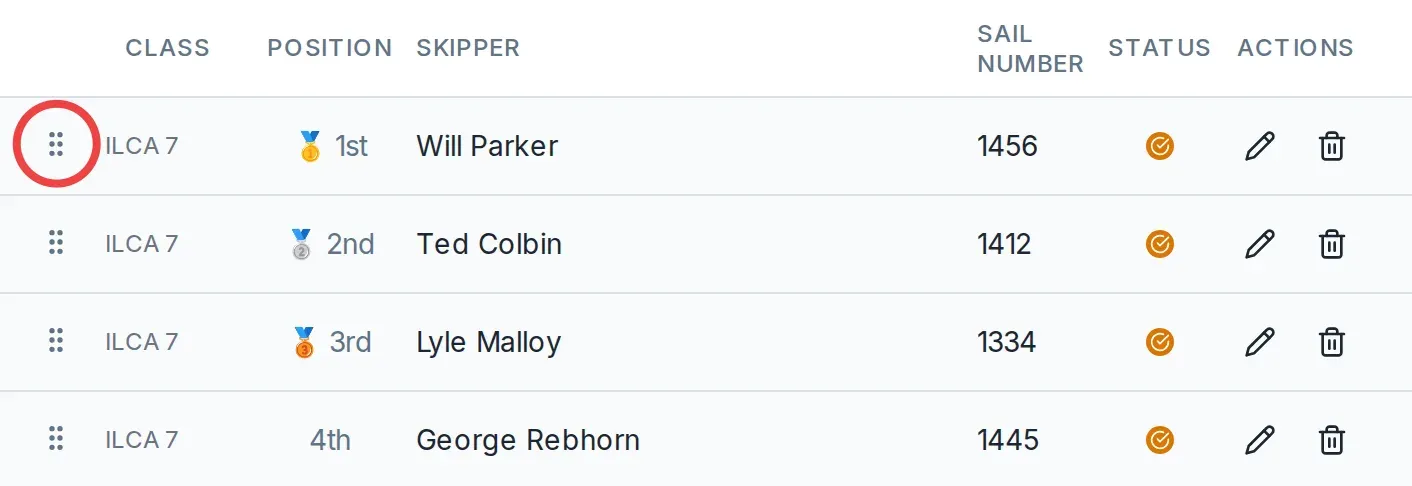
Each row in the results list has a pencil to edit the position, status, or note, and a bin to delete the result.
To change the finishing order, drag a row by its grip handle on the left and drop it into place. The positions renumber to match.
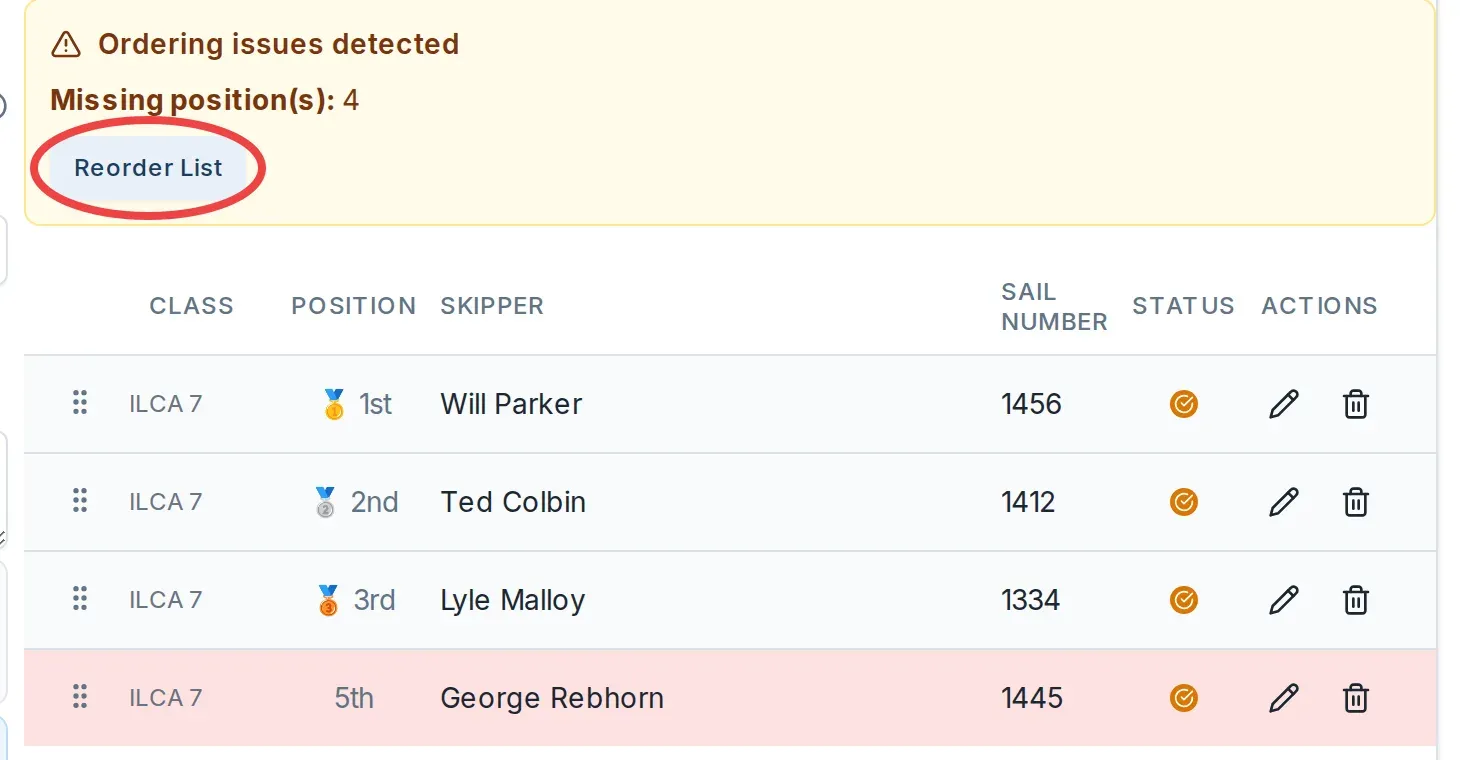
If a position is missing or used twice, an Ordering issues detected notice appears above the list, naming the gap or the duplicate. Select Reorder List to renumber the finishers cleanly, then save.
Set up how the day is scored
Entering positions records who finished where. How those positions, and any codes, become points is decided by the event's own scoring rules, copied from a scoring template when the event was created. New events copy the club's default template automatically, so most race officers never have to touch this. To change how a code or discard is scored, see Edit a scoring template's rules. For the full picture, see How scoring templates work.
Create or change a scoring template
A scoring template is a reusable set of scoring rules covering your series, regattas, and open meetings. You need the Official or Admin permission on the club to manage them.
-
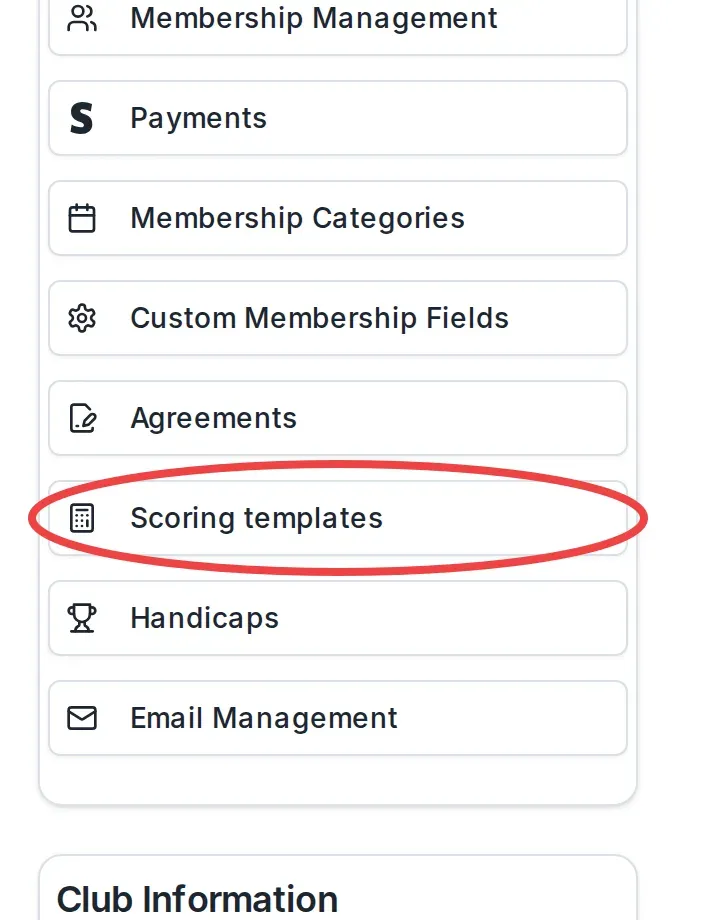
Go to your club's page. In the Club Actions section, select Scoring templates.
-
Select Create template. Enter a Template name a race officer will recognise, and a Description if you want one, then select Create template.
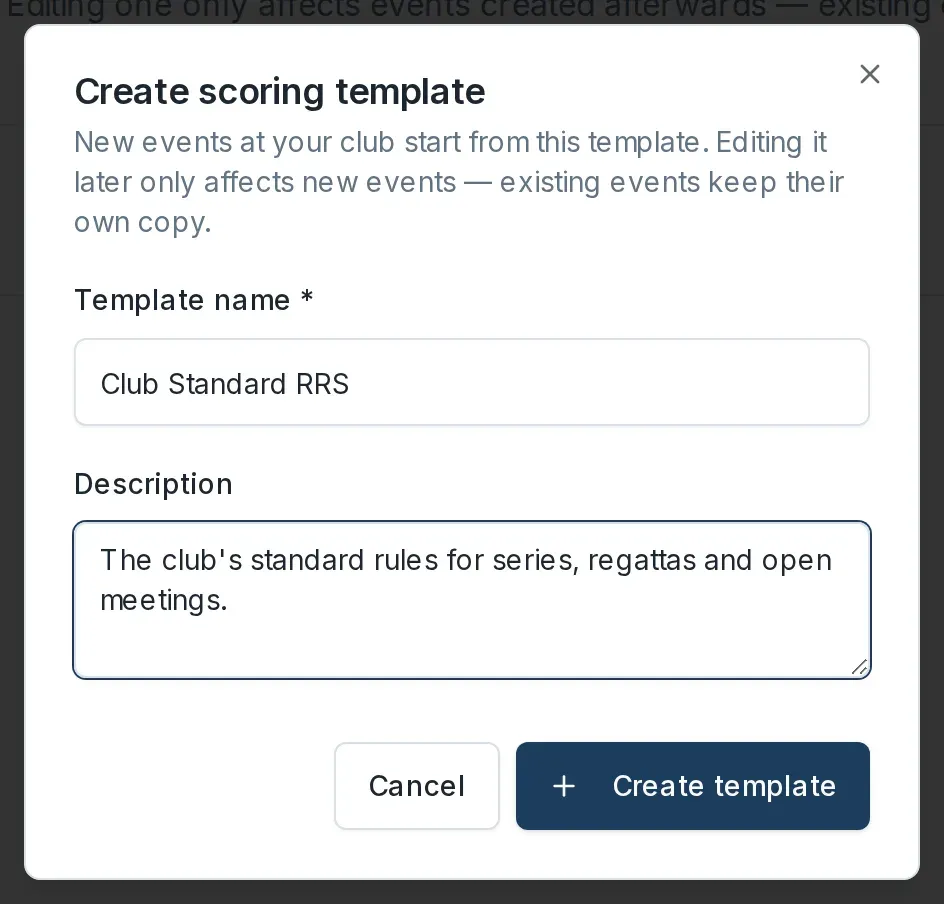
The new template starts with a sensible set of standard rules for all three racing event types, so it is ready to use straight away.
-
To make it the template new events copy, find it in the list and select Set Default. A club has one default at a time.

Changing a template only affects events created afterwards. An event that already exists keeps its own copy of the rules. To change how the template scores each code, or how discards work, see Edit a scoring template's rules.
What happens next
Entering results does not make them visible to sailors. Results stay in Draft until you publish them. When the day is scored, move on to Publish results.