Publish a draft event
Publish a draft event
Every event is created as a draft. A draft is visible only to club officials, so your sailors cannot see it or sign on until you publish it. This article covers how to publish one.
Access. You need the Official or Admin permission on the club or association that runs the event. An admin or official of the event's host venue or host association can manage and publish it too. Site administrators can publish any event.
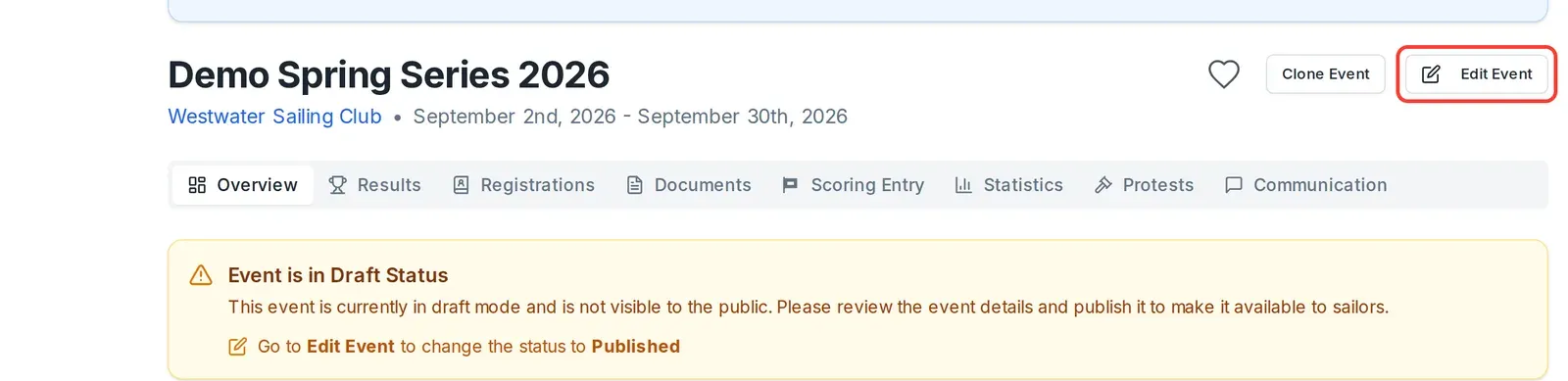
A draft event shows a notice at the top of its Overview:
Event is in Draft Status This event is currently in draft mode and is not visible to the public. Please review the event details and publish it to make it available to sailors. Go to Edit Event to change the status to Published.
To publish the event:
- Open the event. On its Overview, select Edit Event.
- Dockside opens the edit screen. On the Basic tab, find the Status field.

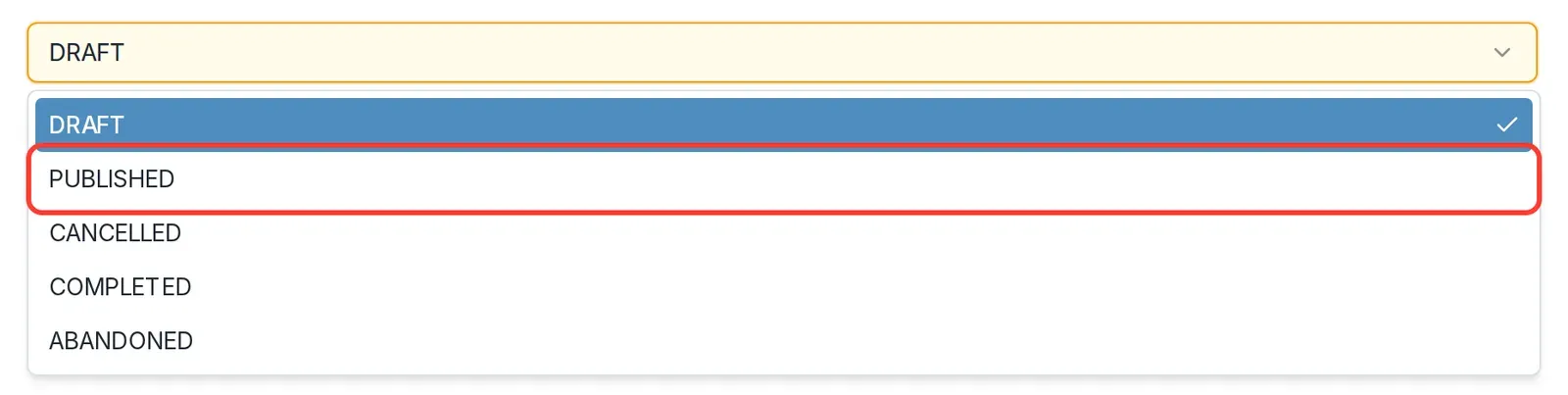
- Open the Status dropdown and choose PUBLISHED.
- Select Save.
Go back to the event's Overview. The draft notice has gone, and the event is now visible to your sailors, who can find it and sign on.
The other event statuses
The Status field also has three statuses you use later in the event's life rather than to make it visible:
- CANCELLED for an event that will not now take place.
- COMPLETED once the event has finished.
- ABANDONED for an event that started but did not finish, for example because of the weather.
Set any of them the same way: open Edit Event, choose the status on the Basic tab, and select Save. Once an event has been published, it stays visible to sailors even after you mark it cancelled, completed, or abandoned.