Fix or edit a saved result
This article covers how to fix a result you have already saved: a wrong finishing position, the wrong status code, or a result that should not be there. You edit results from the same screen where you enter them, one boat at a time.
To enter results in the first place, see Enter results for a race day.
Access. You need the Admin, Official, or Race Officer permission on the club running the event.
Open the result you want to change
- Open the event and select the race day.
- On the Race Day Results screen, select the Entry tab.
- In the results list, find the boat's row. Each row has a pencil to edit and a bin to remove the result.
- Select the pencil on that row.

The Edit result dialog opens, headed with the sailor's name. It has three fields: Position, Status, and Notes.
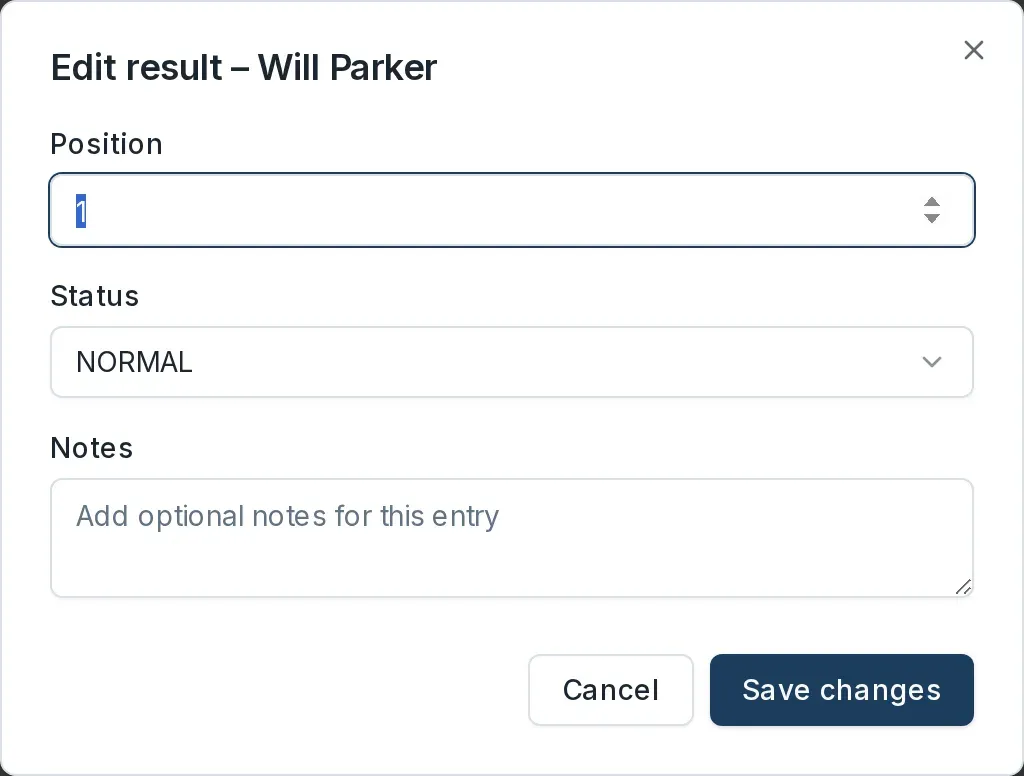
Change a position
- In Position, type the correct finishing place.
- Select Save changes.
When you save, Dockside recalculates the race positions and the series standings automatically. To reorder several boats at once instead, drag the rows by their grip handles on the Entry tab.
Change a status code
To mark a boat with a code such as DNF or OCS instead of a finishing position, use the Status dropdown in the dialog and choose the code, then select Save changes. If the code is one that does not carry a finishing position, Dockside clears the Position field for you.
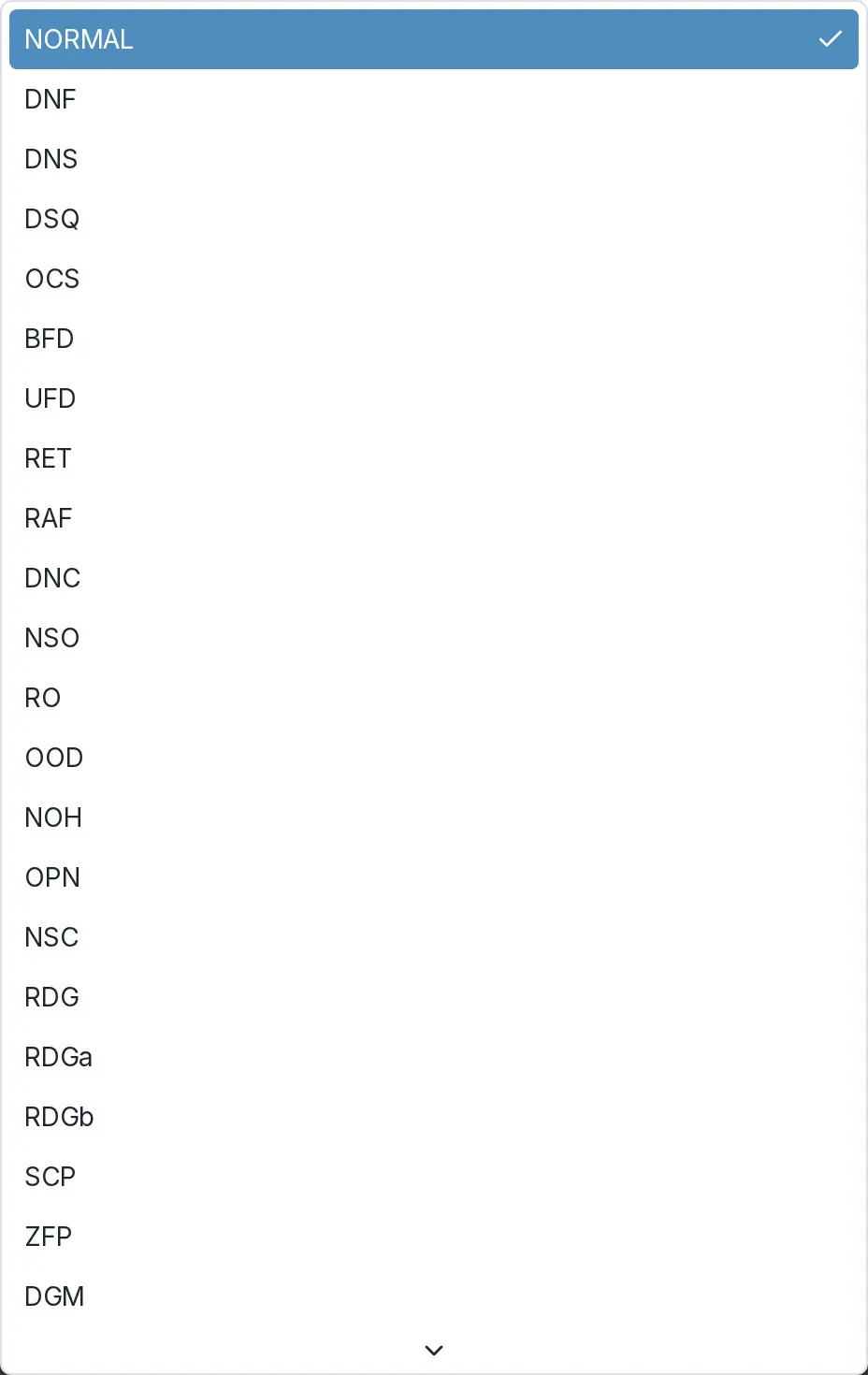
For what each code means and how it scores, see Apply a scoring code.
Add or change a note
Use the Notes field to record why a result was changed, for example a redress decision or a scoring query. Notes are optional. Select Save changes to keep them.
Remove a result
- On the boat's row, select the bin.
- The row is marked Delete Pending and its name is struck through. The bin turns green so you can undo the removal before you commit it.
- Save the day's changes to remove the result. If you leave the screen without saving, the result stays.

Removing a result also recalculates the standings.
If the results were already published
Editing a result does not automatically update what sailors see. If the race day's results were already published, publish them again so your correction shows. Use Publish (no email) for a small correction, so you do not email everyone a second time. See Publish results.