Cancel, postpone or abandon
When weather or circumstances stop the racing, you record it on the event. Dockside has a status control at two levels: the whole event, and a single race day. This article covers both, and what each does to the results.
Access. You need the Admin, Official, or Race Officer permission on the club that runs the event.
Cancel or abandon the whole event
Use this when the whole event will not now take place, or started but could not finish.
- Open the event. On its Overview, select Edit Event.
- On the Basic tab, find the Status field.
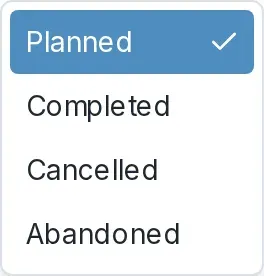
- Open the Status dropdown and choose one:
- CANCELLED for an event that will not now take place.
- ABANDONED for an event that started but did not finish, for example because of the weather.
- Select Save.

Once an event has been published, it stays visible to your sailors after you mark it cancelled or abandoned, so they can see what happened. Setting the status is the same control you use to publish a draft. See Publish a draft event.
Cancel or abandon a single race day
Use this when one day of a series or regatta is lost but the event carries on.
- Open the event and select Edit Event.
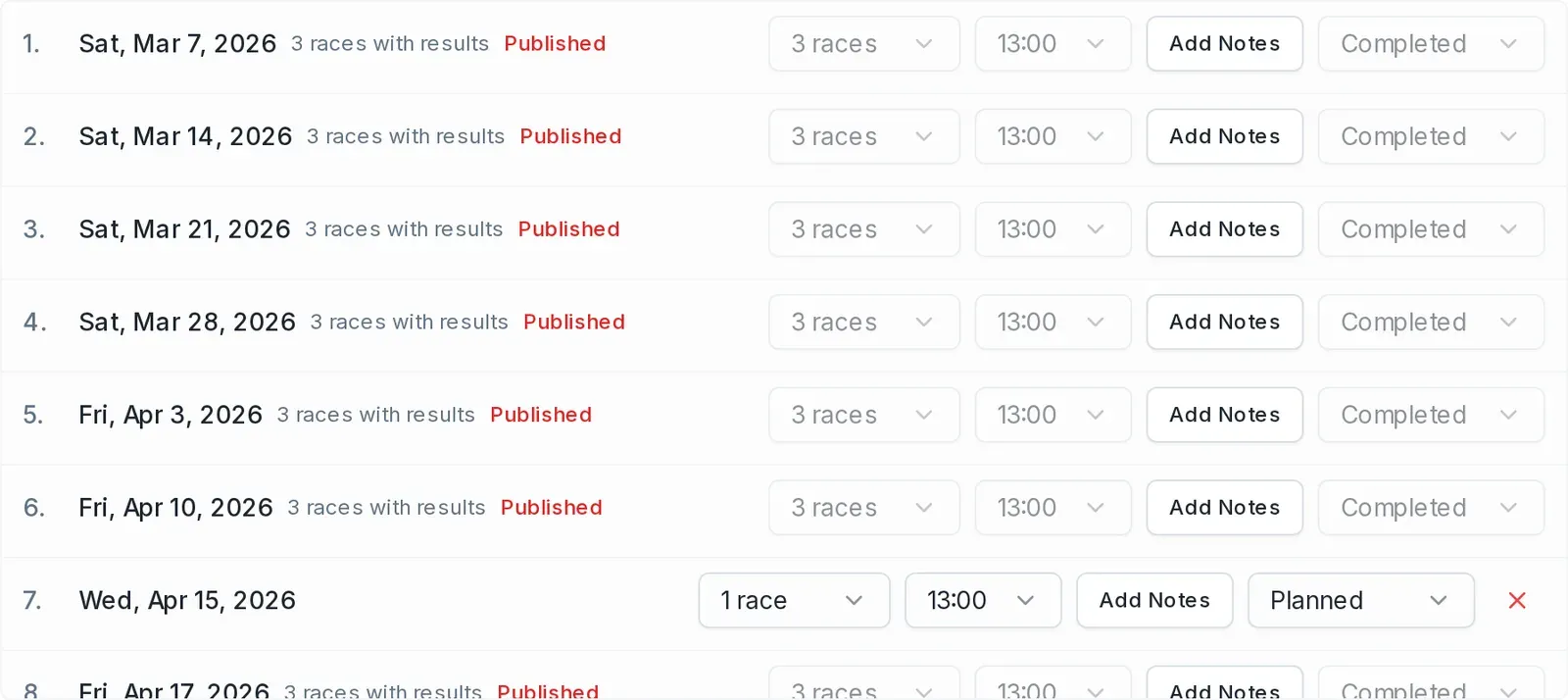
- Open the Schedule tab. Each race day is listed with its date and a status dropdown.
- On the day you want to change, open the status dropdown and choose Cancelled or Abandoned.
A race day's status dropdown is locked once that day's results have been published. Published days show as Completed with the control greyed out, so you cannot cancel a day after its results are public.
Postponing racing
Dockside has no separate "postponed" status in the web app. If racing is put off on the day, the race officer records it in the race officer app. In the web app, leave the race day set to Planned if you intend to run it later, or mark it Cancelled if it is off.
What this does to the results
A race day you cancel or abandon before it has any results counts for nothing: it holds no races, so it adds no scores and no DNC to the series, and there is nothing for discards to act on. Cancelling a day does not penalise anyone who was registered for it.
A day that already has published results cannot be cancelled or abandoned from the Schedule tab, because its status control is locked. If a completed event later has to be recorded as abandoned, set the event status to ABANDONED instead.