Change an event's type
You can change an event's type after you create it, for example from an Open meeting to a Series. This article covers how, and the two things Dockside checks first. For what each type is for, see Choosing the right event type and Event types.
Access. You need the Admin, Official, or Race Officer permission on the club that runs the event.
Change the type
- Open the event. On its Overview, select Edit Event.
- On the Basic tab, find the Event Type field.
- Open the dropdown and choose the new type: Open, Series, Regatta, Training, or Social.
- Select Save.

Switching between the racing types, Open, Series, and Regatta, keeps all your competition settings. Only dropping the racing altogether triggers the warning below.
Switching to Training or Social
Training and Social events do not carry racing, so changing to one clears the event's competition settings. When you choose Training or Social, Dockside shows a Change Event Type? warning listing what it will remove: Sailing Classes, Scoring templates and Handicaps, Crew Locking Rules, and Sign-on Configuration.
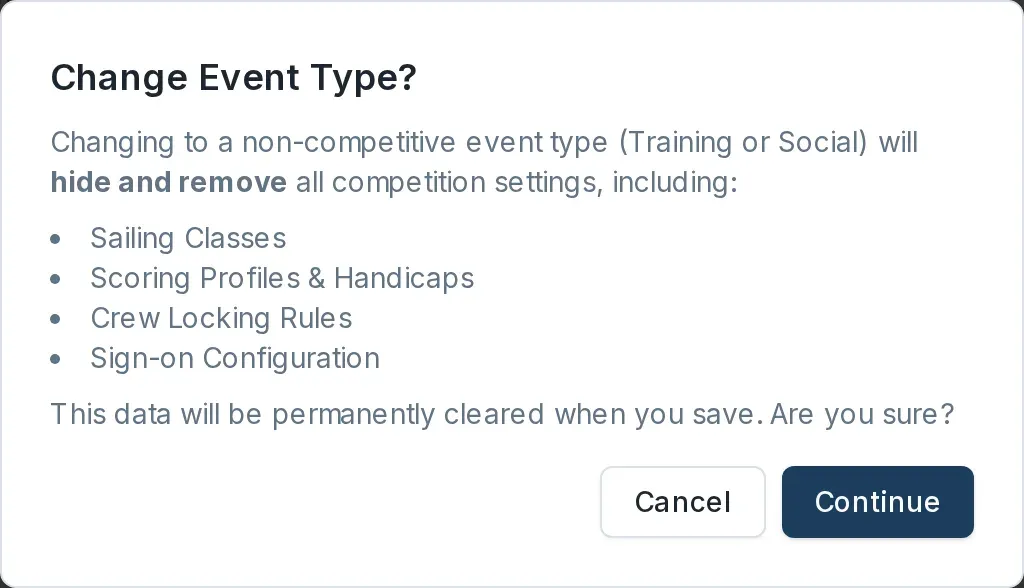
Select Continue to go ahead, or Cancel to keep the type as it was. The settings are permanently cleared when you save, so if you cancel the save nothing is lost.
When you cannot change the type
Once an event has recorded results, its type is fixed. The Event Type field is locked and shows the current type greyed out.

If you need a different type after racing has started, create a new event instead.