Import your duty roster from Dutyman
If your club already runs its duties in Dutyman, you can bring a whole season across in one go. You upload the Dutyman export, preview exactly what it will do, then import — nothing changes until you say so.
Access. You need the Official or Admin permission on the club.
Export from Dutyman
In Dutyman, export your season roster as a CSV file. Import one season at a time; a single very large export is slower and harder to check.
Upload the roster
On your club's Season plan, select Import from Dutyman. Give the import a Roster name, then under Roster file (CSV) choose your Dutyman export.
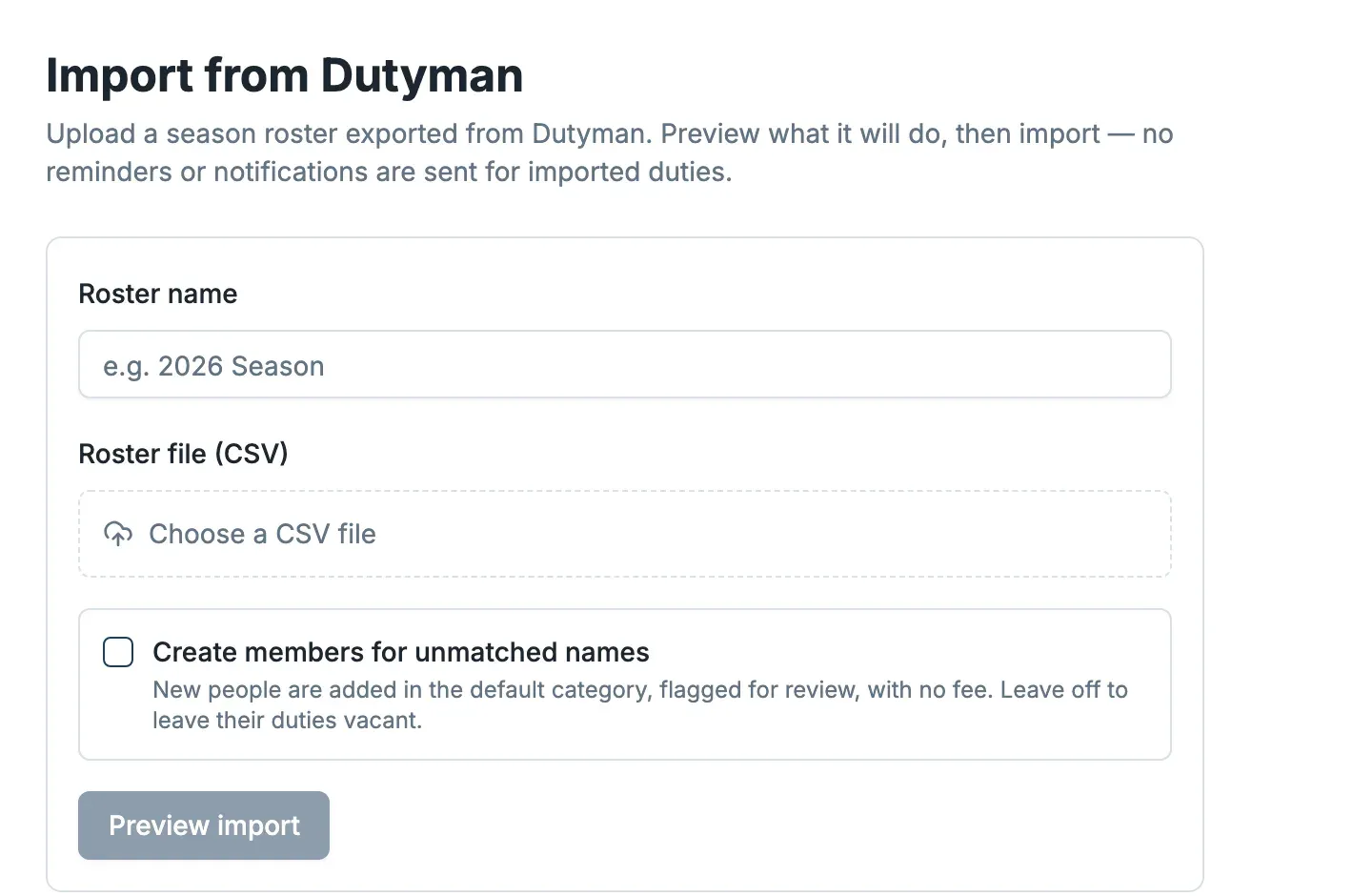
Decide about unmatched names
The export names people who do duties. Where a name matches one of your members, their duty is assigned to them. For names it can't match, you choose:
- Tick Create members for unmatched names — they are added as members in the default category, flagged for review, with no fee, and their duties are assigned to them.
- Leave it off — their duties are imported as vacant for you to fill later.
Preview, then import
Select Preview import. Dockside shows exactly what it will do — how many duties, how many people it matched, and how many it would create — without changing anything. Check the numbers, then run the import.
No reminders or notifications are sent for imported duties, so back-filling a past season never spams your members. Once imported, the duties appear in your Duty rosters like any other, ready to review and publish.