Set your duty availability
Your availability is a standing hint you set once. Mark the dates you would prefer a duty, or cannot do one, and it carries across the whole season, seeding each roster as it opens. It is never a guarantee — your club still builds the roster — but it means you are rostered around your life, not despite it.
Access. You need to be a member of a club that runs duties. You do not need any officer permission.
Mark when you can and can't help
Open My availability from your duties. You will see a calendar for the season.
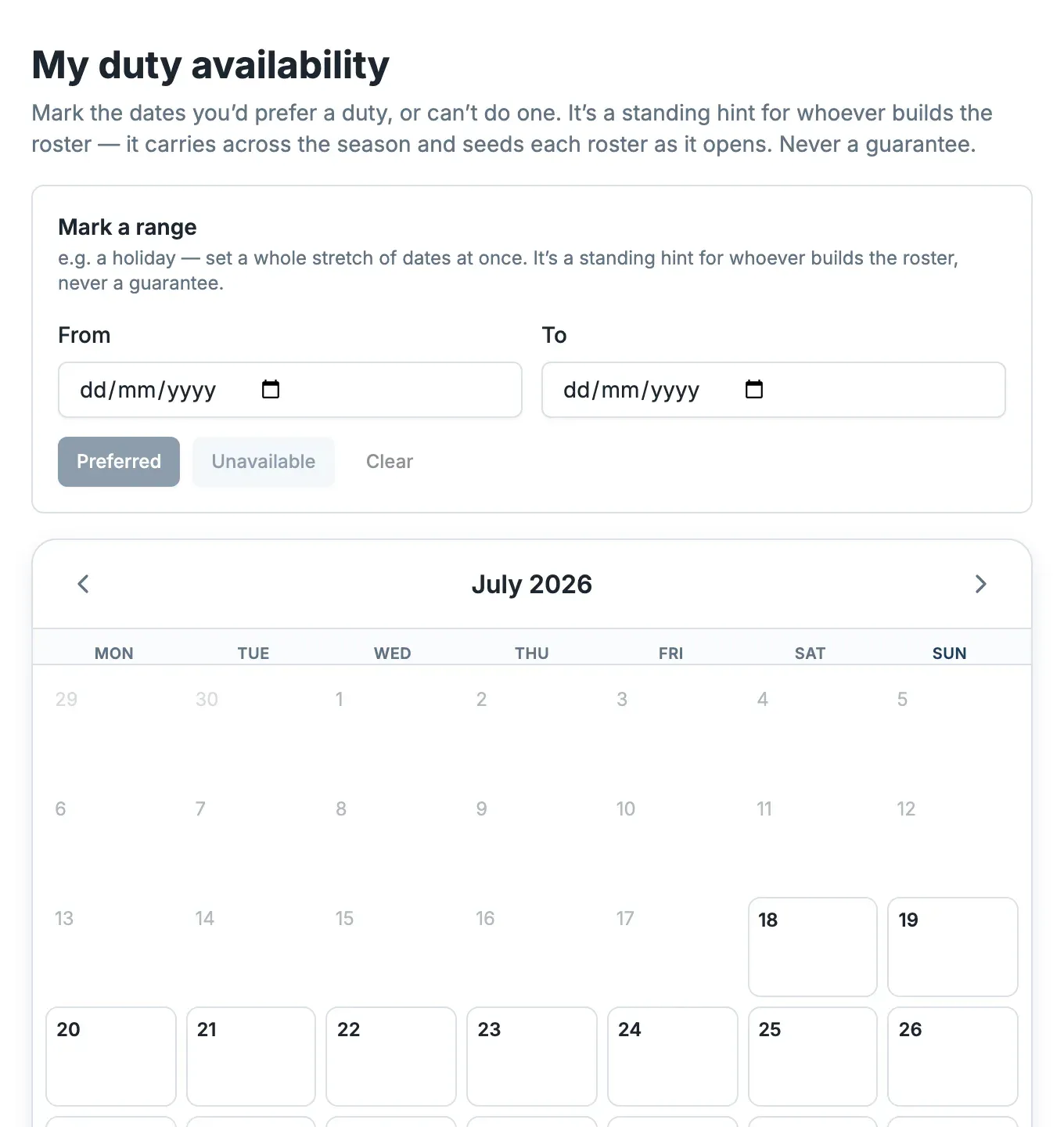
There are two ways to mark dates:
- One day — select it on the calendar.
- A stretch of dates — under Mark a range, set From and To (for example a holiday), then choose Preferred or Unavailable. Clear removes a mark.
Preferred days are ones you would like a duty; Unavailable days are ones you cannot do. Days you leave unmarked are neutral — you can do them if needed.
If you do duties for more than one club, tick Apply to every club I do duties for to set the same dates everywhere at once. Otherwise the club selector at the top chooses which club you are marking.
When a roster asks for specifics
Some rosters run on the Multiple choice strategy, where your club wants your day-by-day availability for that roster's race days. When one is collecting, it appears in your duties with its own Set your availability page: mark each race day Prefer, OK or Can't, and you are only ever offered the roles you are qualified for. Your standing availability seeds this, so it starts from what you have already told the club. See How duty allocation works.
What happens next
Your club builds the roster around everyone's availability, giving you your preferred days where it can. Once a duty is yours you stay responsible for it; if you later cannot make it, ask for cover from your duties rather than simply not turning up.