Apply a scoring code
This article covers how to record a scoring code against a sailor, for a boat that did not finish the race in the normal way. A scoring code is used when a boat did not start, did not finish, retired, was disqualified, or was scored by the race committee for another reason. This builds on Enter results for a race day, which covers recording ordinary finishing positions.
Access. You need the Admin, Official, or Race Officer permission on the club running the event.
Apply a code while entering a result
On the Entry tab, the entry panel has a Status field next to Position. It is set to Normal for a boat that finished the race normally.
- Find the sailor using the Search by name or sail number box.
- Open the Status dropdown and choose the code by its name, for example Did Not Finish or On Course Side.
- Select Add, then Save Now.
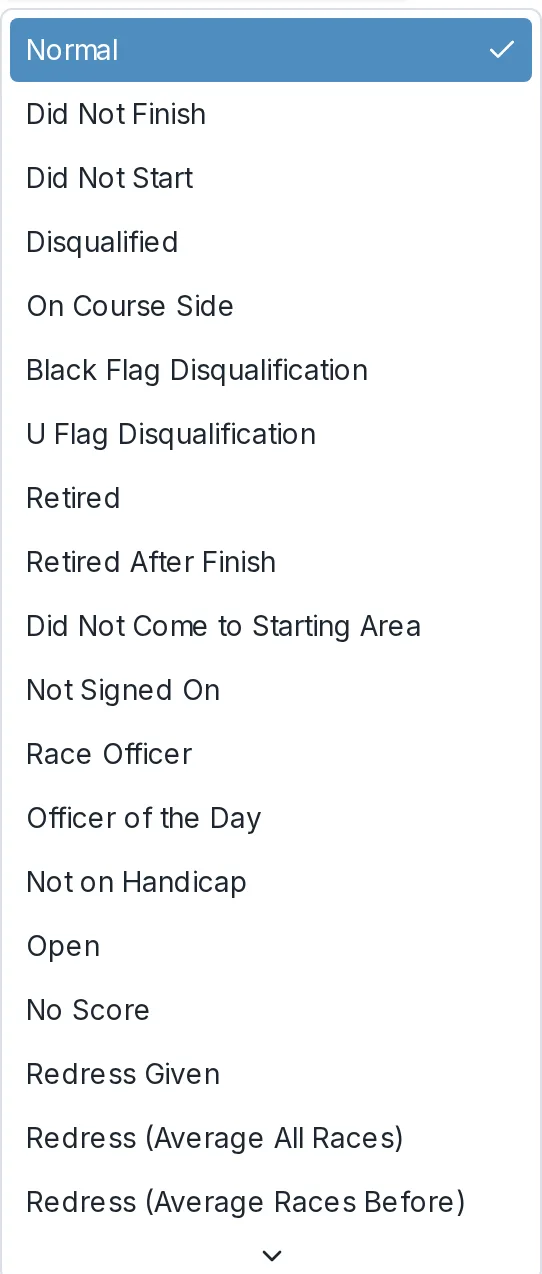
When a code is set, the position is handled by the code rather than by the finish order. The boat shows the short code in the Status column of the results list instead of a finishing place, for example RET for a boat that retired.
Change an existing result to a code
If a boat is already entered with a finishing position and you need to change it to a code:
- In the results list on the right, find the sailor's row.
- Select the pencil to edit the result.
- Change the Status to the code you want.
- Save the change.

What the codes mean
Dockside uses the scoring codes defined by World Sailing in the Racing Rules of Sailing, such as DNS, DNC, DNF, RET, OCS, BFD, DSQ, and the redress codes RDGa and RDGb. For the full list and what each one means, see Scoring codes.
How a code is scored
A code does not have a fixed number of points on its own. How many points it scores is set by the event's own scoring rules, which can score the same code differently for a series, a regatta, or an open meeting. For example, many clubs score DNF as the number of boats in the race plus one. To see or change how your club scores each code, see How scoring templates work.